How to create API keys on crypto platforms
for our Binance referrals we suggest additional -1% from profit commission rate. You can also specify our referral identifier manually: 502748159

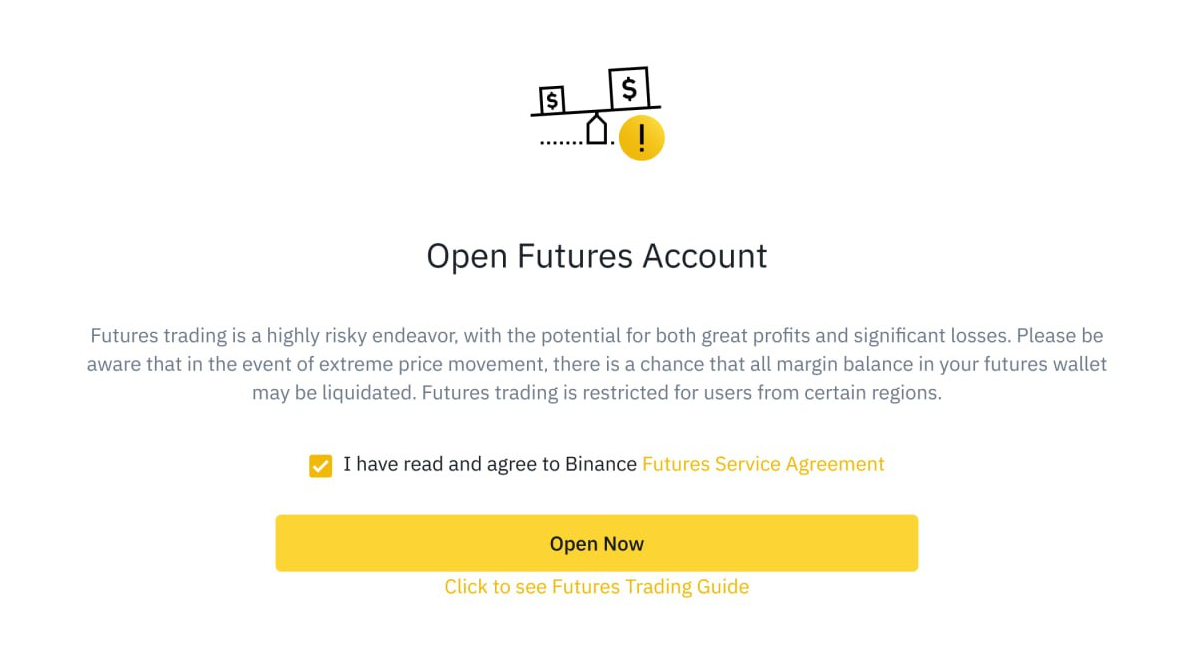
You need to open USD-M Futures Account on Binance
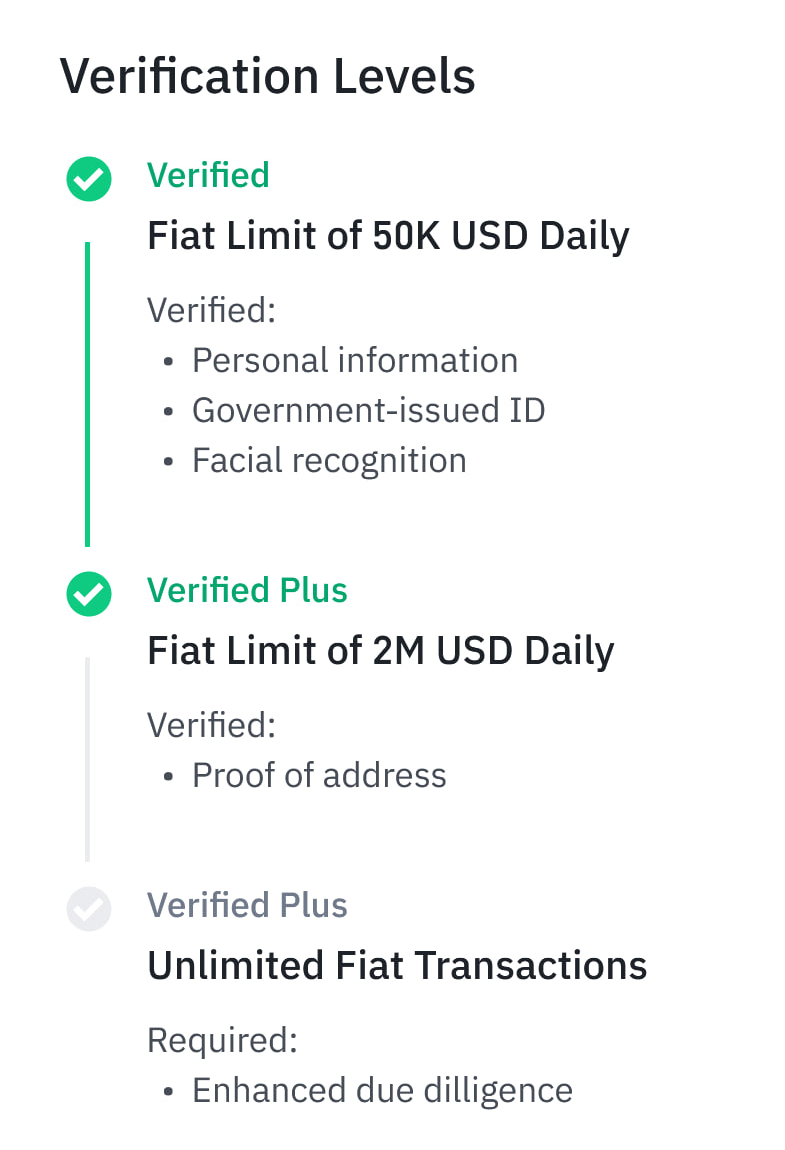
to be able to do so, you need to complete your identity and address verification (get Verified Plus status). Here you can find an instruction from Binance about identity verification

Create a new Sub-account
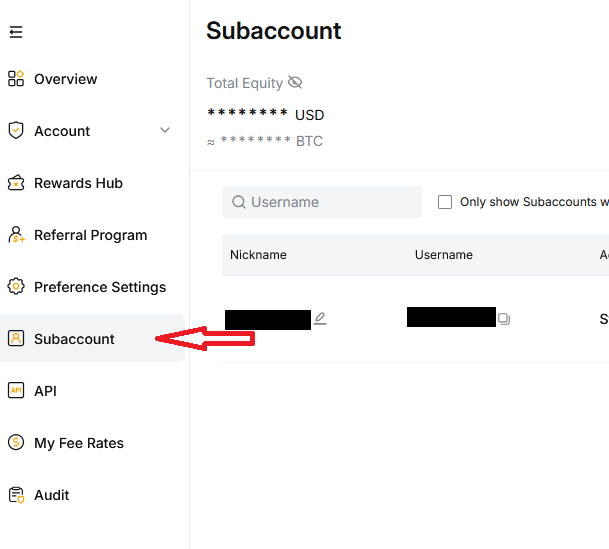
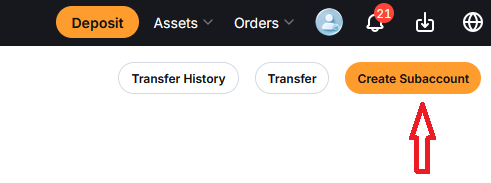
Top up your futures account
Transfer your assets to the Unified Trading Account (UTA) of the Sub-account
Enable Multi-Assets mode
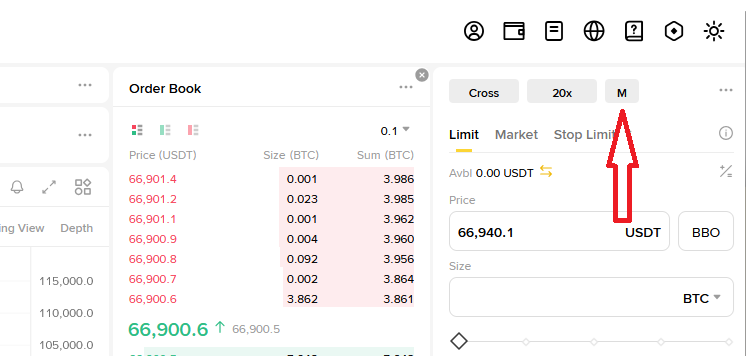
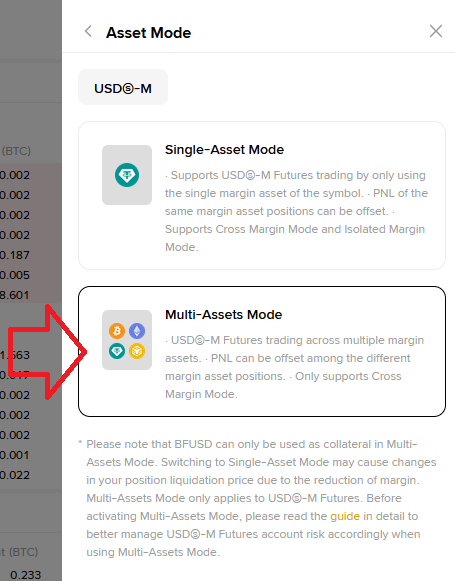
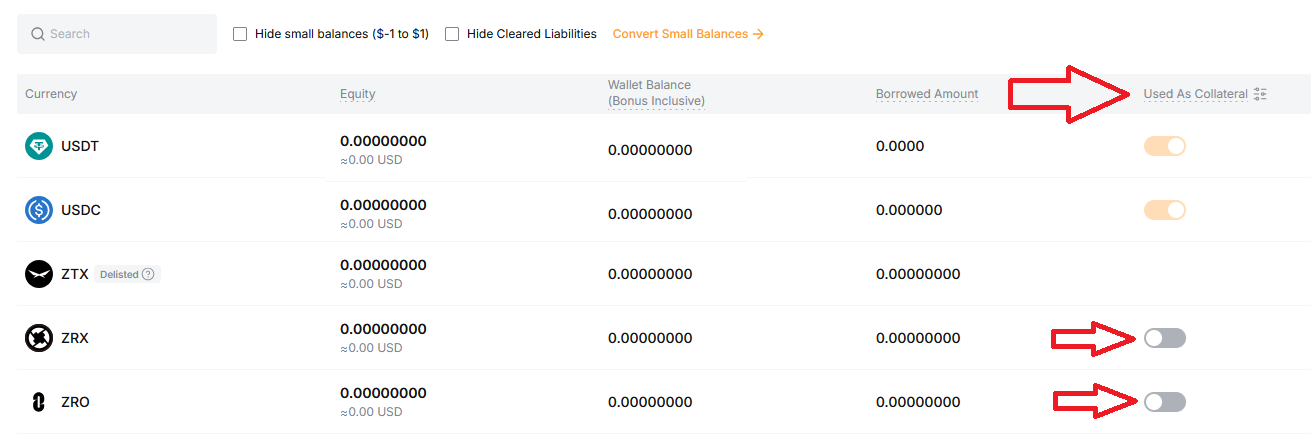
optional If you want our bot use not only your USDT balance, enable other coins as Collateral in UTA settings
Add the following list of IP addresses to the whitelist:
164.68.120.166 173.249.26.201 185.196.21.253 185.196.21.159 84.247.191.232 185.137.122.160 161.97.107.146 161.97.117.57 89.116.25.172 31.220.75.97 89.116.25.177 176.57.184.98 161.97.169.147 95.111.226.127 62.171.183.61 207.180.203.217 194.233.95.214
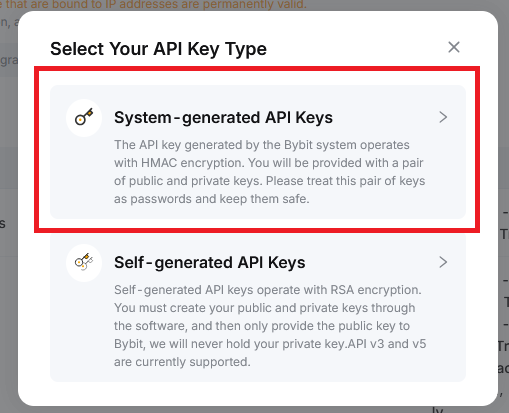
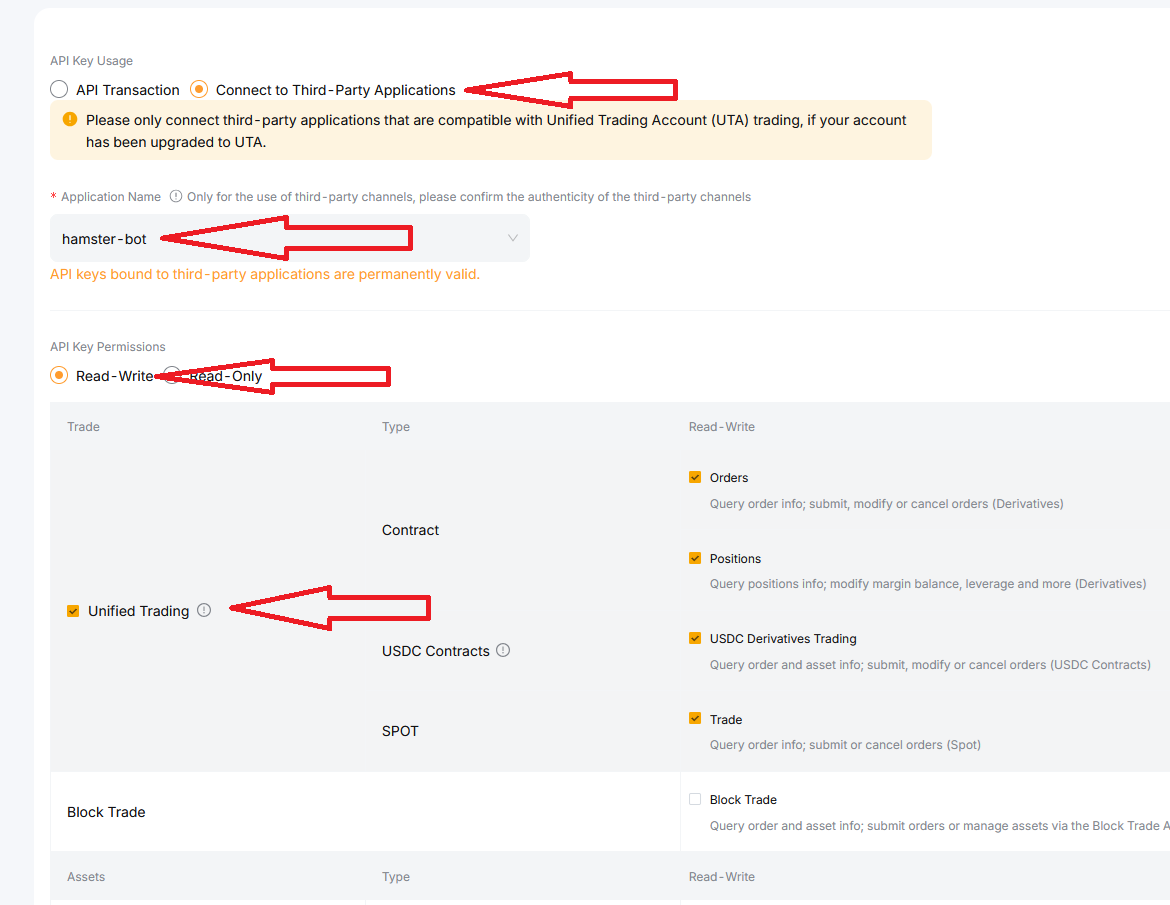
Choose System-generated API Keys -> connect it to Third-Party Applications -> "hamster-bot" -> click "Read-Write" radio button -> check "Unified Trading"